top of page

2025/26 BIM Class Recordings
This module introduces the theories and praxis associated with Building Information Modeling (BIM).


2026-04-13 - BIM Collaboration with Google and Revit
Quick recap This meeting was the final class session for a BIM (Building Information Modeling) course, where Professor Brian distributed group folders and explained the collaborative project process using Google Drive. The session covered the upcoming Festival of the Arts event on Thursday where CSA would have a booth, discussed the end-of-semester timeline with exams starting on the 23rd, and addressed student questions about project grades and technical issues. Professor Br

utechcsa
Apr 134 min read

2026-04-13 BIM - Collaborative Project Creating Families + Design Options Tutorial
Quick recap In this class session, Professor Brian addressed technical issues with the submission form that had closed early due to high traffic, and announced it would be reopened for students to submit their individual project work. The class then transitioned to discussing a new collaborative project where students would form groups of three to work on an exhibition space layout using file linking in Revit. Professor Brian explained the different roles within each group: B
utechcsa
Apr 135 min read


2026-03-30 NEW Location for Tutorial Video + Details on Collaborative Project
NOTE: TUTORIAL VIDEOS WILL NO LONGER BE POSTED HERE. THEY WILL NOW BE ACCESSED VIA THE "WATCH TUTORIAL VIDEOS" LINK, ACCESSED FROM THE CLASS WEBSITE. BELOW. TO ACCESS VIDEOS SIGNUP AND CONTACT ME VIA WHATS APP Quick recap Brian conducted a temperature check on students' progress with their individual projects and introduced a new video tutorial system. Students reported various issues, including terrain elevation problems in Revit that Brian helped troubleshoot, and some stud
utechcsa
Mar 303 min read
2026-03-23 BIM - Creating Title Blocks & Printing + CLASS ACTIVITY
NOTE: TUTORIAL VIDEOS WILL NO LONGER BE POSTED HERE. THEY WILL NOW BE ACCESSED VIA THE "WATCH TUTORIAL VIDEOS" LINK, ACCESSED FROM THE CLASS WEBSITE. BELOW. TO ACCESS VIDEOS SIGNUP AND CONTACT ME VIA WHATS APP Quick recap This class session focused on teaching students how to create title blocks and organize drawings in Revit using a class activity where students were required to create both a cover page and a typical drawing page using the Rivet template. Brian Williams gu
utechcsa
Mar 235 min read
2026-03-23 BIM - Creating Drawing Views
Quick recap This meeting focused on BIM production and drawing generation techniques in a school environment, led by Brian Williams. The session covered creating presentation drawings and working drawings using Revit, including floor plans, site plans, building sections, and perspective views. Brian demonstrated how to set up view templates, configure drawing views, use filters for material overrides, and apply naming conventions for different view types. The class also explo
utechcsa
Mar 233 min read
2026-03-16 BIM - Doors and Details
Quick recap This was a BIM modeling tutorial class where Brian guided students through adding details to their building models, specifically focusing on creating reflective glass elements on the facade using curtain wall tools and placing doors, elevators, and bathroom fixtures. The class demonstrated how to properly model elements in Revit, including the importance of attaching walls to slabs and ensuring proper intersections. Brian emphasized that while the BIM model is imp
utechcsa
Mar 164 min read

2026-03-09 - BIM - Presentation Revit Links + Model-Detail Lines
Quick recap The class continued with presentations on Revit features, focusing on linked models, detail lines, and model lines. The linked models group discussed benefits and demonstration of linking external files, while the detail and model line group presented on their uses and capabilities in Revit. Brian provided additional insights on file linking, including its use in housing projects and collaboration between different software. He also shared tips on importing and li
utechcsa
Mar 104 min read

2026-03-09 - BIM - Terrain+Curved Stair
Quick recap The class focused on creating custom stairs and modifying terrain in Revit for an architectural project. Brian guided students through the process of designing curved stairs, customizing railing types, and adjusting terrain to match the stairs' design. He demonstrated how to use void forms to cut away terrain where the building intersects with the site. The class also covered techniques for modifying railing settings and adding handrails to match the project's des
utechcsa
Mar 104 min read
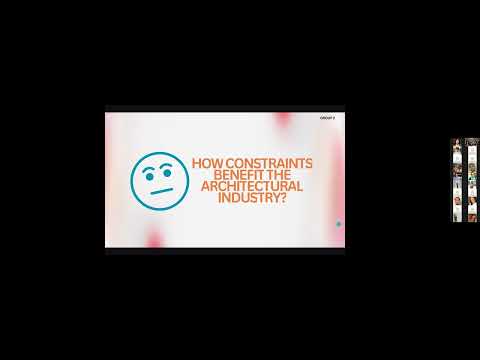
2026-03-02 BIM - Presentations (Constraints, Scope Boxes, View Range)
Quick recap The class focused on presentations about Revit features, with groups demonstrating constraints, scope boxes, and view ranges. The constraints group explained how rules control element size, position, and relationships, while the scope boxes presentation highlighted how these tools help organize large models and coordinate across different views. The view range group discussed how to control vertical visibility in floor plans, though they missed mentioning plan reg
utechcsa
Mar 24 min read

2026-03-02 BIM - FLOORS+ROOF+STAIRS
Quick recap The meeting focused on teaching participants how to model horizontal surfaces and stairs in Revit. Brian guided attendees through creating floors, roofs, and slabs, explaining how to use reference planes, detail lines, and the model in place tool. He demonstrated how to add beams, adjust their lengths, and load open web beam families. The session covered creating foundations, constructing curved walls, and modeling internal stairs with multiple landings. Brian emp
utechcsa
Mar 25 min read

2026-02-23 BIM - Theory Presentation -Curtain Wall Design -Schedules -Revit Families -View Templates
Quick recap The meeting focused on presentations related to various features of Revit, a Building Information Modeling (BIM) software, as part of a class project. Students presented on topics such as curtain walls, schedules, families, and view templates, demonstrating how these features can enhance workflow efficiency and project documentation. Each group explained the functionality, benefits, and practical applications of their assigned topic, with some groups also showcasi
utechcsa
Feb 236 min read

2026-02-16 BIM - Intro to Design Development - Create grids + walls + Structure
Meeting summary Quick recap The meeting focused on the first class of a BIM Studio course, where Brian Williams introduced the major project assignment and demonstrated how to set up a Revit project for an exhibition pavilion design. Students learned to establish project boundaries, create grid lines, and set up elevation markers, with Brian emphasizing the importance of accurate measurements and proper documentation. The class covered fundamental Revit techniques including g
utechcsa
Feb 164 min read

2026-01-26 - BIM - LECTURE - Theory Presentaiton
Quick recap The class focused on exploring the Autodesk Revit sample project, which serves as a semi-fictional training model based on a historical building in Brownsville, Pennsylvania. Brian Williams demonstrated how the project showcases various Revit features and explained that students would form groups to present on specific topics related to Revit functionality. Students were instructed to watch an interview video about the project and explore the model to prepare for
utechcsa
Jan 265 min read

2026-01-26 BIM - Predesign Massing Model + Solar Study
Quick recap The class focused on teaching architectural production processes through a hands-on exercise where students created a 3D massing model of an exhibition pavilion in SketchUp. Professor Brian Williams guided students through converting a hand-drawn sketch into a digital model, including creating a terrain feature and conducting a solar study to analyze natural light exposure. The session covered fundamental architectural concepts like pre-design phases, project mana
utechcsa
Jan 264 min read

2026-01-19 BIM - LECTURE - Module Intro
Quick recap The meeting focused on scheduling and planning for an upcoming module, including discussion of practical sessions, a study tour, and course structure. Brian provided an overview of the computing team members, outlined the progression of the course modules, and emphasized the importance of mastering Revit for industry standards. The instructor explained the course structure, requirements for class participation, and upcoming projects, including a major individual p
utechcsa
Jan 194 min read
bottom of page