top of page
All Posts


utechcsa
9 hours ago0 min read
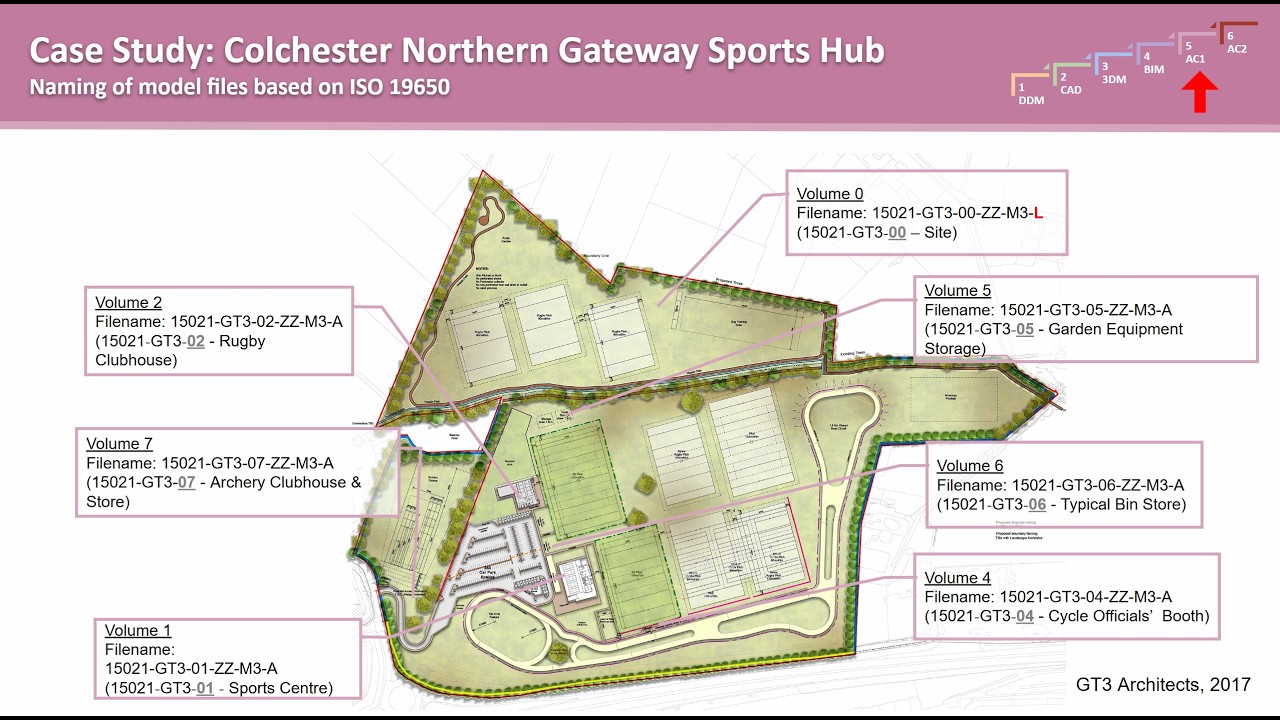
AC1 Lecture 8 Oct 21, 2026
From Individual Modelling to Collaborative BIM Practice This session of Advanced Computing 1 explored how architectural and construction projects are organised and delivered through collaborative digital workflows. Building on the measured survey assignment, the lecture introduced students to professional approaches to information management, file naming, project documentation, and team coordination. The central message was that BIM is not simply about creating a three-dimens
utechcsa
9 hours ago6 min read


AC1 Lecture 7 Oct 14, 2026 Part 2
From Site Photography to Collaborative BIM Documentation This session of Advanced Computing 1 continued the development of Assignment 2, focusing on the relationship between measured survey information, site modelling, and collaborative Building Information Modelling (BIM). Students were introduced to practical techniques for transforming site photographs, CAD information, and field measurements into a coordinated Revit project. The session also addressed the importance of so
utechcsa
3 days ago5 min read

AC1 Lecture 7 Oct 14, 2026 Part 1
From Field Measurements to a Coordinated BIM Model As we move into Week 7 of Advanced Computing 1, the focus shifts to Assignment 2: teamwork, measured surveys, and collaborative BIM documentation. This stage of the course challenges students to move beyond individual modelling tasks and begin working as coordinated teams, using shared digital environments to develop accurate building information models and supporting documentation. The assignment brings together several impo
utechcsa
3 days ago5 min read

2026-10-03 - DDM - Quiz about Laptop Specs + Exercise 4
Quick recap The class, led by Brian, focused on concluding the discussion about image size, resolution, and the differences between DPI for printing and PPI for screens. Brian explained the importance of understanding how image resolution translates to real-world print sizes, using formulas and examples to demonstrate how to determine if an image will be sharp enough when printed. He also introduced the concept of vector images in Illustrator, contrasting them with pixel-base
utechcsa
Oct 55 min read
2026-09-28 - 3DM - Presentation Topic 3+4
Quick recap The class session focused on presentations and discussions about 3D modeling software and rapid prototyping technologies in architecture. Brian began by sharing insights on managing time and deciding what to cut from presentations before critiques. Group 3 presented a comparative analysis of SketchUp, 3D Studio Max, and Blender, discussing their strengths, weaknesses, and best uses in architectural work. Group 4 presented on rapid prototyping, covering various tec
utechcsa
Oct 55 min read


AC1 Lecture 5 Sept 30, 2026
Measured Survey Preparation & Fieldwork 1. Preparing for the Measured Survey Introduction to the upcoming measured survey at a primary school in Portland Purpose of the survey and its role in the BIM modelling assignment Overview of the site visit, including travel arrangements and the four-hour survey period Attendance, punctuality and professional conduct expectations 2. Assignment Structure & Assessment The measured survey forms a significant component of the course assess
utechcsa
Sep 304 min read

2026-09-26 DDM - Image Size Calculation + Exercise#3
Quick recap The class, led by Brian, focused on concluding the discussion about image size, resolution, and the differences between DPI for printing and PPI for screens. Brian explained the importance of understanding how image resolution translates to real-world print sizes, using formulas and examples to demonstrate how to determine if an image will be sharp enough when printed. He also introduced the concept of vector images in Illustrator, contrasting them with pixel-base
utechcsa
Sep 275 min read
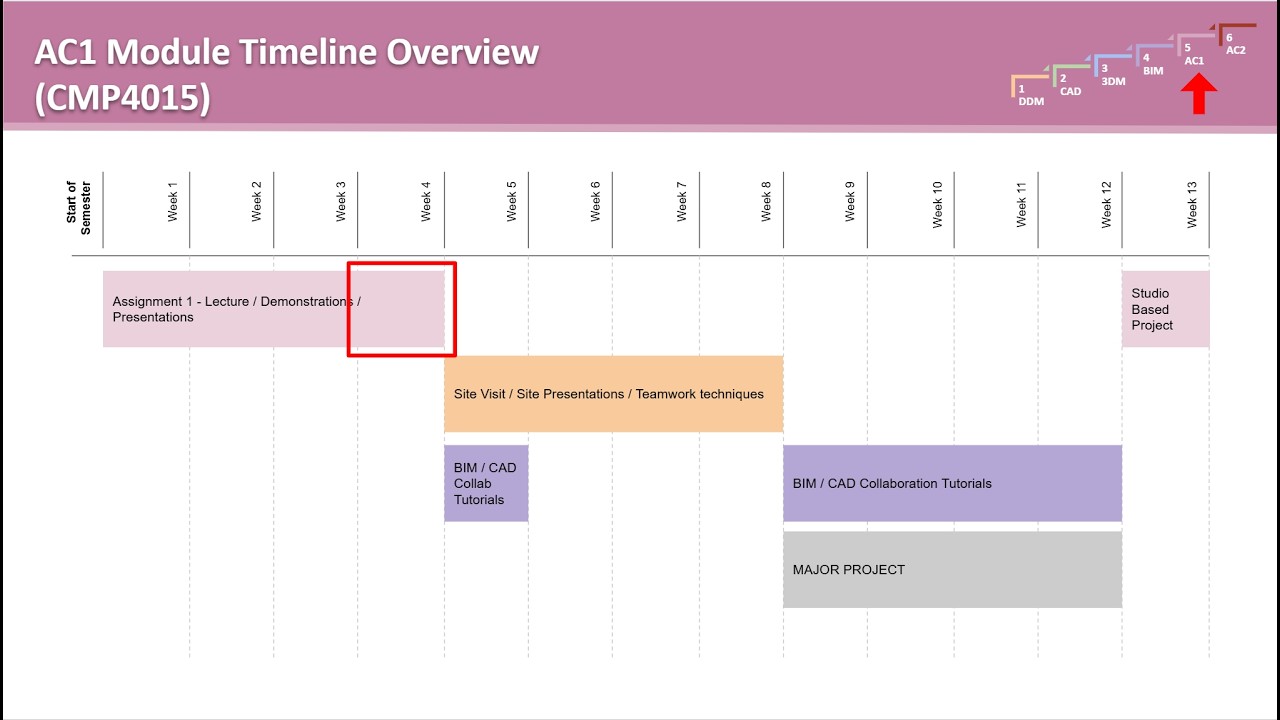
AC1 Lecture 4 Sept 23, 2026
Student Support, Assignment Progress & Course Resources 1. Getting Organised Confirming registration for Advanced Computing 1 Checking that student names and IDs are correctly recorded Understanding how registration connects to the grading system Resolving missing or incorrect student information 2. Understanding Your Grades How grades are recorded and displayed What to do if grades are missing or appear incorrectly Distinguishing between completed class activities and formal
utechcsa
Sep 232 min read
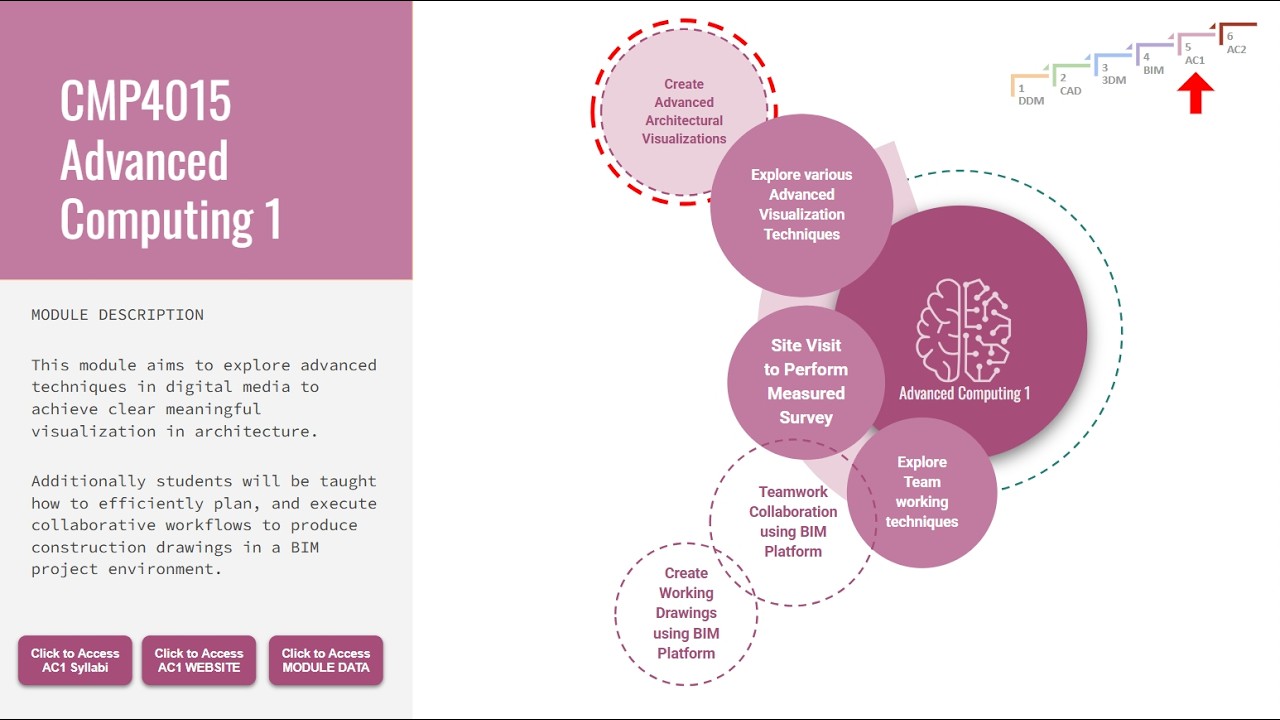
AC1 Lecture 3 Sept 16, 2026
3D Sections, Exploded Views & Architectural Visualisation Workflows 1. Introduction to the Session Introduction to Meeting 3 of Advanced Computing 1 Overview of the day's focus: 3D architectural sections Exploded views Isometric and axonometric projections Digital production workflows AI-assisted production techniques The importance of keeping architectural workflows current as digital technologies continue to develop Reminder about class participation and the importance of a
utechcsa
Sep 236 min read
2026-09-19 DDM - Exercise 2 + DPI Explained
Quick recap The class, led by Brian, focused on digital image fundamentals, particularly the distinction between pixels, PPI, and DPI, and their relevance to screen and print media. Brian explained how image resolution, screen size, and viewing distance affect perceived sharpness, using examples of monitors and TVs. The class also worked on Exercise 2 in Photoshop, which involved cleaning up a hand-drawn sketch, with Brian providing technical support for issues related to sof
utechcsa
Sep 195 min read

2026-09-14 3DM Practical - Working on Chk #1
Quick recap The class, led by Brian, focused on advancing from conceptual sketches to 2D schematic drawings in Revit for Checkpoint 1, Part 2 of the coursework project. Brian addressed technical issues with Revit licenses and installation, directing students to contact Mr. Campbell for support. He reviewed several students' sketches, providing feedback on design development and the need to consider scale and dimensions in the 2D phase. The class worked through tutorial videos
utechcsa
Sep 145 min read
2026-09-14 3DM Lecture - Work on CHK#1 + Reveal Topic 3&4
Quick recap This was a 3D modeling class where Professor Brian Williams introduced a new computing hub system for students to work on their major project in real-time during class. The professor explained that students would follow along with his progress on building a cabin while working on their own designs, with the computing hub allowing them to access tutorial videos and submit work for class participation points. The class began with students trying to access the hub an
utechcsa
Sep 145 min read

2026-09-12 DDM Image Size and DPI + Exercise 1
Meeting summary Quick recap The class focused on introducing students to the CSA computing hub and the structure of the DDM module, with an emphasis on participation and the use of Photoshop for architectural image editing. Brian explained the new participation system, which automatically awards points for watching videos and completing activities, and detailed how participation could impact assignment grades. He reviewed key concepts of image resolution, DPI, and printing, u
utechcsa
Sep 126 min read
AC1 Lecture 2 Sept 9, 2026
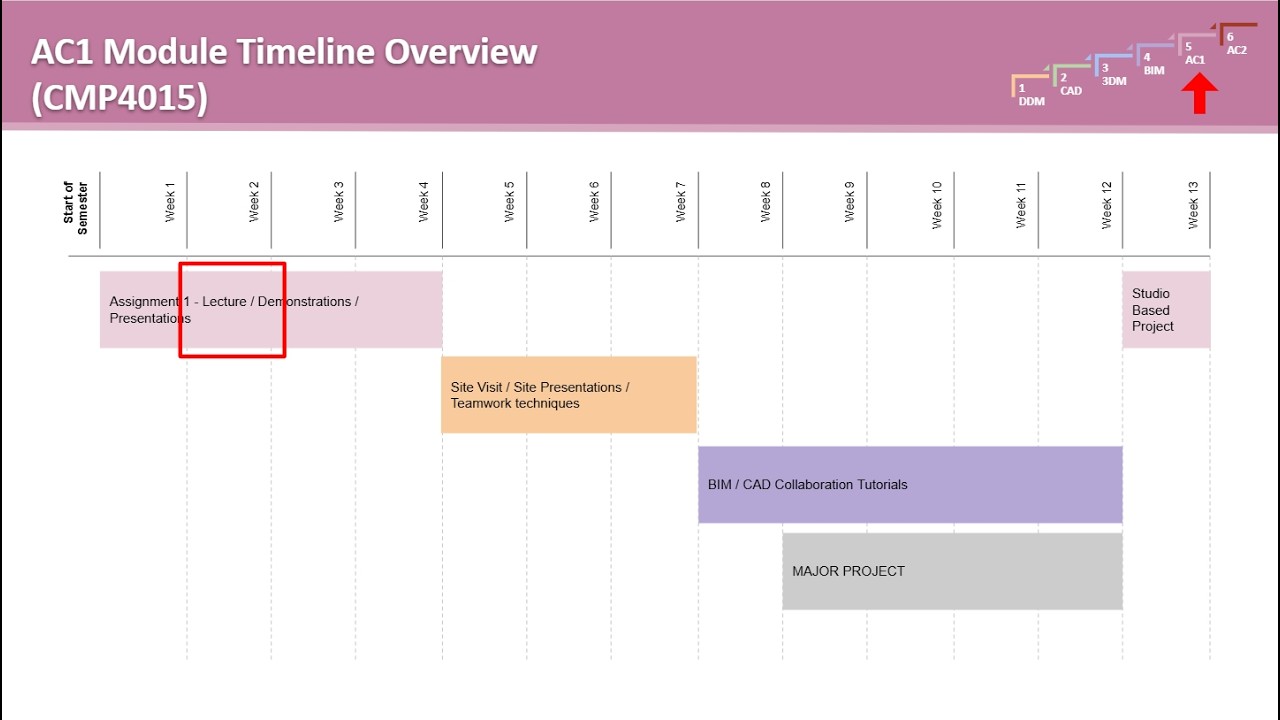
Advanced Computing — Week 2 Advanced Visualisation Techniques & the Digital Toolkit 1. Introduction to the Session Introduction to Week 2 of Advanced Computing Focus of the session: advanced visualisation techniques and digital toolkits Overview of how the lecture connects directly to Assignment 1 Reminder for students to register for the Advanced Computing class on the CSA website Importance of keeping contact and enrolment information up to date 2. Introducing Assignment 1
utechcsa
Sep 115 min read
utechcsa
Sep 110 min read

AC1 Lecture 1 Sept 2, 2026
Advanced Computing 1 — Week 1 Module Introduction 1. Welcome to Advanced Computing 1 Introduction to the module and teaching approach Introduction to the instructor and professional background Overview of the software ecosystem used throughout the course, including Revit, Archicad and SketchUp Expectations for attendance, punctuality and active participation Why the first few weeks of the module are particularly important 2. What to Expect from the Module Overview of the seme
utechcsa
Sep 114 min read

2026-09-07 3DM Lecture - Issue Presentation Assignment
Quick recap This was a lecture class for a 3D modeling and rendering module, where Brian Williams introduced the course structure and major projects to students. Brian explained that the module would cover four main areas: sketch-to-3D modeling, lighting and rendering techniques, modeling fundamentals, and theory components. He outlined the major project which involves designing and rendering a cabin building over the semester, with students working through multiple checkpoin
utechcsa
Sep 75 min read
2026-09-05 - DDM - Course Intro + Hardware for Digital Media
Quick recap The meeting was an introductory session for the Digital Design Media (DDM) computing module at CSA, led by Brian Williams. Brian introduced himself, his background in architecture and technology, and provided an overview of the computing journey through six modules, including DDM, 3D modeling, BIM, and advanced computing. He explained the structure of the DDM course, which covers software like Photoshop, Illustrator, SketchUp, and InDesign, and emphasized the impo
utechcsa
Sep 77 min read

2026-09-07 3DM - Issue Major Project
Quick recap The class, led by Brian Williams, focused on introducing the major project for the semester, which involved designing and modeling a timber lookout tower using Revit and rendering software like Twinmotion. Brian detailed the project requirements, including a 20x20 foot footprint, two stories, stilts, stud walls, and specific deliverables like renderings and exploded views. He explained the checkpoint system, with Checkpoint 1 starting with analog sketches of the s
utechcsa
Sep 75 min read
bottom of page