2026-03-28 AC2 - Virtual Camera + Assignment 4

Quick recap
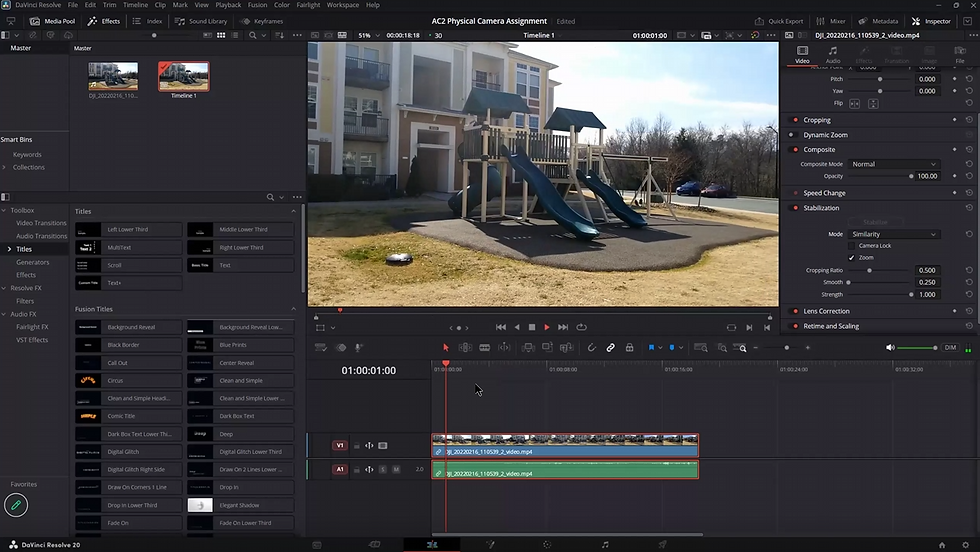
This class focused on teaching students about virtual camera techniques in architectural visualization using 3D software like Twinmotion. Professor Brian Williams demonstrated how to create cinematic camera movements such as push-in, pull-out, and reveal shots by positioning 3D models in pre-made environments and applying appropriate camera angles and lighting. Students were instructed to complete Assignment 4, which requires creating 10 different cinematic camera views using their existing architectural models, incorporating rules of composition, and adding basic elements like people and trees to the scenes. The assignment must include proper video editing with provided music tracks and lower third annotations identifying each camera technique used. Professor Williams emphasized that students should focus on creating meaningful camera perspectives rather than spending time on detailed modeling or materials, as the assignment is designed to test understanding of cinematic camera angles rather than 3D modeling skills.
Next steps
All students: Complete Assignment 4 by importing their building model into the provided virtual environment (option 1 or 2), create 10 required cinematic camera angle animations (using specified views and rules of composition), add entourage and at least one animated object, export video clips, edit together with provided music track, add name/ID/lower thirds, and submit by the Tuesday after Easter.
All students: Focus on required cinematic camera movements and rules of composition for Assignment 4; do not spend time modeling or texturing beyond what is necessary for the camera views.
All students: Use ONLY the provided music tracks for Assignment 4 video editing.
All students: If questions arise about Assignment 4, attend class on Monday to ask the instructor.
Brian: Mark the remaining submissions for Assignment 2 and then complete marking Assignment 1 by Monday (or over the weekend).
Brian: Mark Assignment 3 (outdoor video clips) after completing marking of Assignments 1 and 2.
Summary
VR Architectural Field Trip Discussion
Brian led a discussion about a recent VR field trip, where students explored architectural design in virtual reality. Terrian shared their positive experience with VR, noting it was their first time using it for architectural work rather than just gaming. Brian emphasized the technical requirements for VR setups, including the need for gaming laptops/desktops, and discussed potential future applications like conducting virtual design reviews where both students and lecturers could meet in a virtual space to examine architectural models.
Virtual Camera Work Assignment Guide
Brian led a class on virtual camera work, explaining that students would be completing Assignment 4, which involves capturing clips in a virtual 3D environment using pre-made scenes in programs like Twinmotion or Lumion. He demonstrated how to import FBX files and discussed the importance of using the correct texture files for proper rendering. The assignment focuses on cinematic camera movements rather than modeling or materials, with students expected to create videos showcasing techniques like push in, pull out, parallax, and rise up reveal. Brian emphasized that the key aspect to be marked is the accuracy of cinematic camera movement rather than the design of the building or lighting.
Twinmotion Video Demonstration Techniques
Brian demonstrated the differences between two video examples, explaining that one used more attention-grabbing cinematic camera movements and short clips while the other was a single long animation. He then walked through setting up a building model in Twinmotion, showing how to apply materials like glass and concrete to specific building elements. The session focused on creating camera views and scenarios for generating those views, with Brian noting that the demonstration was not meant to be a comprehensive Twinmotion tutorial.
Twinmotion 3D Animation Techniques
Brian discussed techniques for creating dynamic 3D animations in Twinmotion, focusing on adjusting sky settings, sun location, and camera exposure to achieve desired visual effects. He emphasized the importance of applying rules of composition, such as leading lines and symmetry, when selecting camera views, and introduced the concept of cinematic camera angles for creating engaging animations. Brian stressed the need for intentional and interesting reveals rather than simple technical implementations, encouraging students to find compelling architectural views before animating them, and highlighted the goal of communicating key design elements through the animations.
Building Visualization Studio Project Planning
Brian led a discussion on identifying and highlighting interesting aspects of a building for a studio project. Alexia suggested focusing on the glass area on the right side of the building, while Dominique recommended showcasing a framed view from inside looking out to the park. Sekou proposed highlighting the space between the glass and concrete sections. Brian demonstrated how to add framing elements, people, and trees in these selected areas using Twinmotion, emphasizing the importance of focusing details on key viewpoints rather than populating the entire scene.
Animation Composition and Angle Selection
Brian discussed the importance of selecting the best angle for animation by finding a good image first and then turning it into an animation. He explained the concept of field of view and how a narrower field of view creates a more telephoto effect, which can make visuals more relatable to human vision. Brian demonstrated how to adjust the sun angle and exposure to make the images more believable and discussed the use of composition rules like the rule of thirds and symmetry in creating more engaging visuals. He also explained the difference between rules of composition and cinematic camera angles and emphasized the importance of featuring elements from both dimensions in the final animation.
Cinematic Techniques in 3D Animation
Brian demonstrated cinematic camera techniques in 3D animation software, specifically showing how to create reveal, parallax, and pull-out shots using a studio design model. He explained that students need to create multiple camera views including push in/pull out, tilt up/down, and aerial perspectives, while incorporating music from provided tracks and adding basic environment elements. The assignment is due on Easter Tuesday and will be the final one before the major project, with students rating its difficulty between 7-8 out of 10.
AI can make mistakes. Review for accuracy.